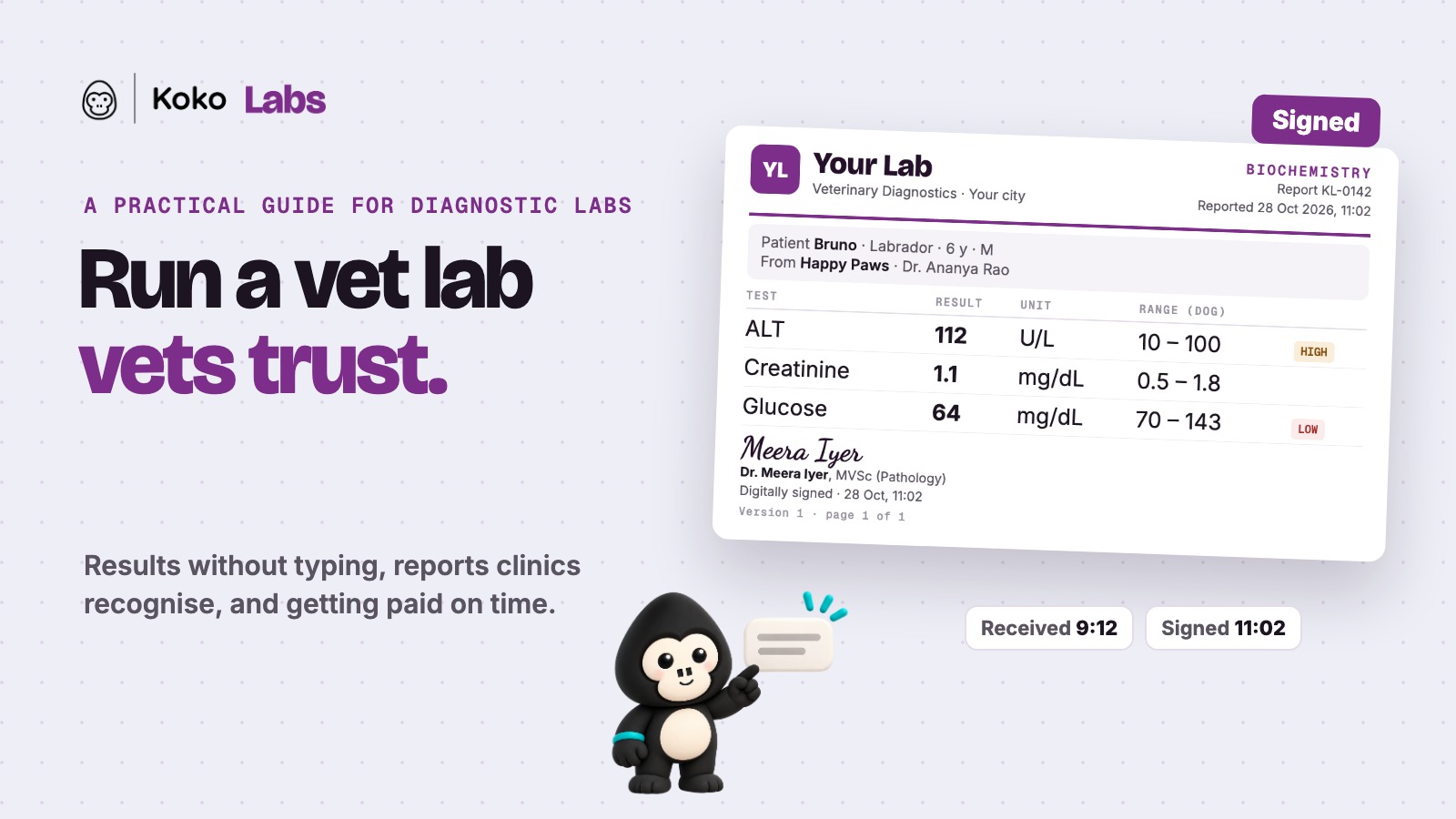
A referring vet rarely sees your lab. They don't see the analyzers, the bench or the pathologist working through a stack of samples before lunch. What they see is the report, and what they remember is whether it arrived when they needed it. For a veterinary diagnostic lab, that report is the whole relationship.
This guide is for lab owners, pathologists and lab managers who want more clinics to send them samples, and to keep sending them. It covers how to get results in without typing, how to make every report trustworthy, how to get it to the vet where they work, how to measure turnaround, and how to get paid by clinics without chasing.
The report is the product
Vets judge a lab on three things, usually in this order:
- Is it right? The right sample, the right pet, the right values, checked against the right ranges.
- Is it fast? A result that comes back after the pet has gone home is a result the vet has to chase.
- Can I read it in ten seconds? A busy vet scans for what is abnormal. If the report makes them hunt, it costs them time with every pet.
Everything in this guide serves one of those three. Price matters too, but a clinic that has once received a wrong or late report will pay more elsewhere to avoid it happening again.
Get results in without typing
Most errors in a lab report are not errors of analysis. They happen in the copying: a value read off an analyzer screen or printout and typed into a report template. A 112 becomes a 12. A glucose of 64 becomes 46. Each mistake is small, and each one can change what a vet does next.
Connect your machines
The surest fix is to stop copying. When your analyzers send results straight into your reporting system, the value on the report is the value the machine read. This works for haematology and biochemistry analyzers, for imaging, and increasingly for PCR. You don't need new machines to do it; you need a system that can connect to the ones you already have.
How Koko Labs does this: we integrate with your machines, whatever the make: haematology, biochemistry, imaging, even PCR. We set each one up as part of onboarding, and results land on the report as the machine read them.
For anything not connected yet, photograph the printout
Some machines will always be the last to connect: an older unit, a backup analyzer, a borrowed one during a repair. For these, reading the values off a photo of the printout is far safer than retyping them. In Koko Labs, you snap the printout and Koko AI reads the values in for the technician to check.
Tie the sample to the pet from the start
A handwritten slip with a half-legible name is where a mix-up begins. Ask clinics to send a digital requisition (the pet, the tests, the referring vet) and label every sample with a barcode the moment it arrives. From then on, the sample, the order and the report all point to the same pet. In Koko Labs, clinics send the requisition from their own screen and the barcode is created with the order.
Make every report trustworthy
Use ranges that fit the patient
A value that is normal for an adult dog can be abnormal for a puppy, and different again for a cat. Reports that flag high and low values against ranges for the right species and age save the vet from doing that check in their head, and stop false alarms on young or old patients. Review your reference ranges once a year, and record where each one comes from.
Put a name to every report
Every report should be reviewed and signed by a vet or pathologist. A signature tells the referring vet that a qualified person has looked at the result, and it tells your team that nothing leaves the lab unchecked. If you use AI to draft remarks on abnormal values, treat them as a starting point. The pathologist edits, decides and signs.
Never overwrite a corrected report
Mistakes will happen, however careful the lab. What matters is what happens next. A correction should go out as a new version, with the original kept on record and the change noted, so the vet knows exactly what changed and when. Silently replacing a report is how a lab loses trust it took years to build.
Make it look like your lab
A report on a Word template with a pasted signature image looks like it could have come from anywhere. Your name, your logo, a clean layout and a consistent order of tests make your report recognisable on a vet's screen. That recognition is part of your brand, and clinics notice it.
How Koko Labs does this: reports carry your lab's name and logo, values are flagged against species and age ranges, Koko AI adds a note on each abnormal value and a summary of the order, the pathologist signs, and corrections become new versions with the old one kept.
Get the report to the vet where they work
The most common way a lab report travels today is as a PDF on WhatsApp: to the clinic's number, then forwarded to the vet, then to the pet parent. Somewhere along the way it gets lost in a chat, opened on the wrong phone, or never filed against the pet.
The better route is straight onto the pet's record at the referring clinic, where the vet is already working. The report sits next to the pet's history and previous results, the vet sees it during the consult, and the clinic shares it with the pet parent from there. Nobody has to search their phone for it.
In Koko Labs, a signed report lands on the pet's record at the referring clinic when that clinic uses Koko, and the clinic shares it with the pet parent in a tap.
Turnaround time: start the clock when the sample arrives
Clinics notice turnaround long before they notice anything else. To improve it, measure it honestly:
- Start the clock at receipt, when the sample reaches your counter, not when someone starts work on it.
- Stop it when the signed report is sent, not when the machine finishes.
- Look at it by test and by time of day. A sample that arrives at 5 pm and is reported the next morning is a different problem from one that waits three hours at noon.
- Watch the slowest results, not the average. A vet remembers the report that took two days, not the hundred that took two hours.
Most of the time saved comes from the steps above: no typing, no hunting for which sample is whose, no back and forth over a smudged slip. Measuring turnaround tells you where the rest is going.
The business side: getting paid by clinics
A lab that works with many clinics usually ends up with many price lists. One clinic has a negotiated rate, another sends only a few tests, a third has a package for its wellness checks. Doing that by hand at month end is slow and easy to get wrong.
- Keep each clinic's rates and test list in one place, so every order is billed at that clinic's price without anyone looking it up.
- Invoice monthly, per clinic, from the orders you actually reported, so the invoice matches what the clinic received.
- Know who owes what at any moment, without opening a spreadsheet.
- Settle several invoices at once when a clinic pays for two or three months together, so your books match the payment.
In Koko Labs, each clinic has its own rates and test list, every clinic's invoice is ready at month end with dues in view, and a single payment can settle several invoices.
Reaching more clinics
Clinics send samples to the lab that is easiest to work with. Easy means a requisition that takes a minute, results they can trust, and reports that arrive where they work. When a clinic can order a test from its own screen and get the report back on the pet's record, sending you the sample becomes the default.
When your lab runs on Koko Labs, clinics that use Koko can order from you directly from their own screen, and their reports come back the same way. That puts your lab one tap away for every vet on Koko.
A first-month checklist
- List every machine in the lab, and mark which ones send results electronically today.
- Move your top referring clinics to digital requisitions, and barcode every sample on arrival.
- Review your reference ranges by species and age, and note the source of each.
- Agree who signs reports, and how corrections are issued and recorded.
- Put your name and logo on a clean report layout, and use it for every report.
- Start measuring turnaround from receipt to signed report, and look at it weekly.
- Put each clinic's rates in one place, and send your first per-clinic invoices from them.
How Koko Labs helps
Koko Labs is software built for veterinary diagnostic labs. It takes a sample from the clinic's requisition to the signed report, and the invoice after it: orders with barcodes, results straight from your machines, species and age ranges with Koko AI notes, signed and branded reports with versioned corrections, delivery to the pet's record at the referring clinic, turnaround tracking, and per-clinic rates and invoices.
Watch one sample's journey in our short explainer: Koko Labs: from sample to signed report. You can also read how Koko Labs started. Want to see it on your own bench? Book a Koko Labs demo.
Frequently asked questions
Which machines can Koko Labs connect to?
We integrate with your machines whatever the make: haematology and biochemistry analyzers, imaging, and PCR. Each connection is set up as part of onboarding. For anything not yet connected, Koko AI reads the values from a photo of the printout.
Do referring clinics need to use Koko?
No. You can take orders from any clinic and send reports as you do today. Clinics that use Koko get the extra step: they order from their own screen, and the signed report lands on the pet's record.
Does the AI write the report?
No. Koko AI adds a note on abnormal values and a summary of the order as a draft. Your pathologist reviews it, edits it and signs. Nothing goes out without a signature.
What happens when we correct a report?
The correction becomes a new version. The original stays on record, so the clinic can see what changed and when.
Ready to Modernize Your Clinic?
Discover how Koko can streamline your operations and enhance pet care.
Schedule a Free Demo