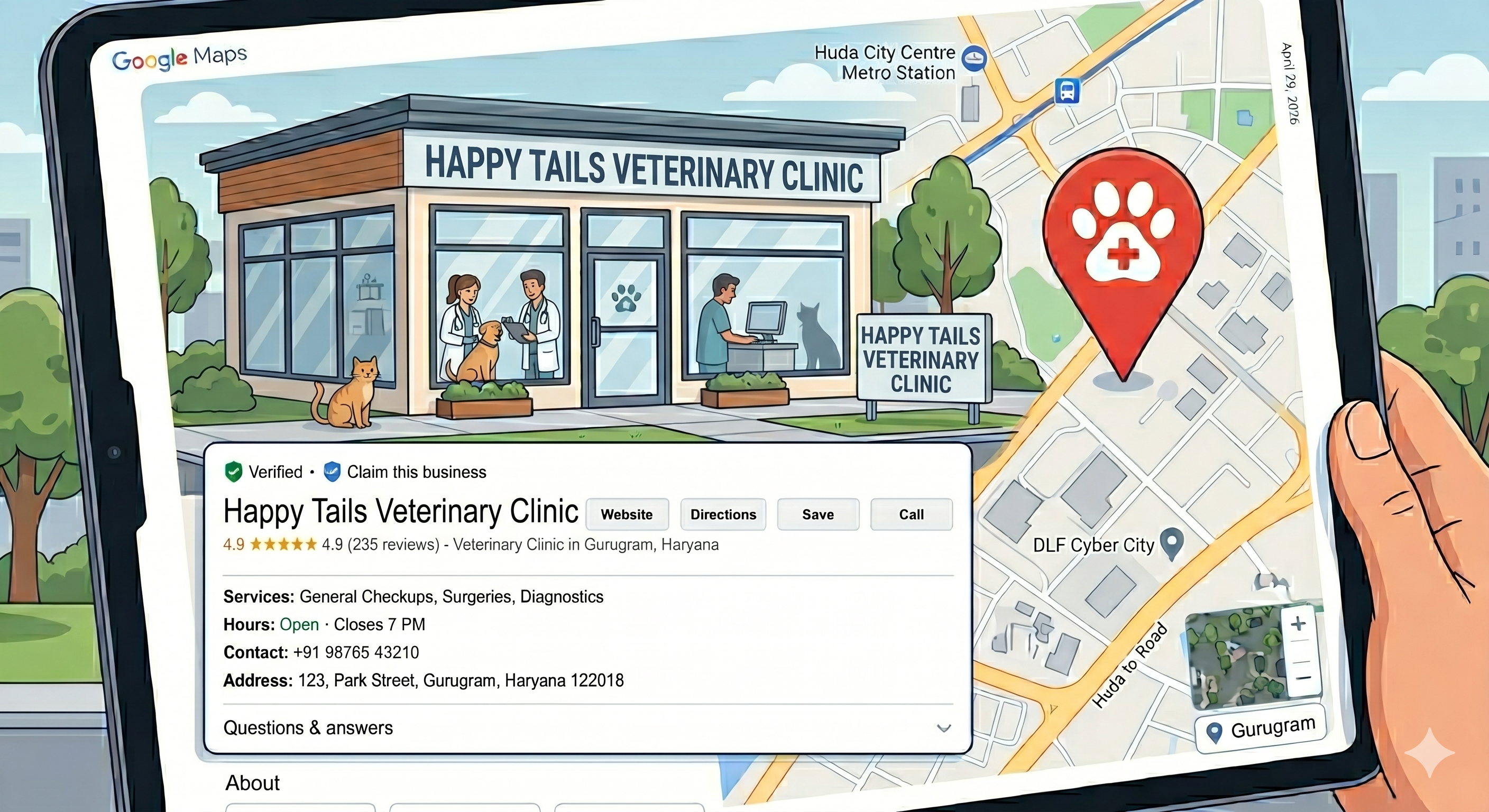
When pet parents search for "vet near me" or "veterinary clinic" on Google, your Google Business Profile (GBP) is often their first impression of your practice. A well-optimized profile can be the difference between a thriving clinic and one struggling to attract new clients. This comprehensive guide will show you how to leverage Google Business Profile to rank higher in local searches and convert more browsers into loyal pet parents.
Why Google Business Profile Matters for Veterinary Clinics
Google Business Profile is a free tool that allows veterinary clinics to manage their online presence across Google Search and Maps. For local businesses like vet clinics, it's particularly crucial because:
- 76% of people who search for something nearby on their smartphone visit a related business within a day
- Local searches have high commercial intent - people are actively looking for services
- Your GBP appears prominently in the "Local Pack" (the map results that show up for local searches)
- It provides essential information like hours, location, and contact details at a glance
Step 1: Claim and Verify Your Google Business Profile
If you haven't already claimed your clinic's Google Business Profile, this should be your first priority. Many veterinary practices appear on Google automatically, but without claiming the profile, you can't control the information displayed.
To claim your profile:
- Go to business.google.com and search for your clinic
- If it appears, click "Claim this business"
- If not, click "Add your business to Google"
- Complete the verification process (usually via phone or postcard)
Once verified, you'll have full control over your business information and can begin optimization.
Step 2: Choose the Right Primary Category
Your primary category is crucial for local search rankings. Google uses this to understand what your business does and when to show it in search results. For veterinary clinics, the most effective primary categories include:
| Primary Category | Best For | Search Triggers |
|---|---|---|
| Veterinarian | General practice clinics | "vet near me", "veterinarian", "animal doctor" |
| Animal Hospital | Full-service hospitals with surgical facilities | "animal hospital", "pet hospital", "emergency vet" |
| Pet Store | Clinics with retail components | "pet store", "pet supplies" |
| Emergency Veterinarian Service | 24/7 emergency clinics | "emergency vet", "24 hour vet" |
Pro tip: You can add secondary categories, but your primary category should reflect your main service. Most general veterinary clinics should choose "Veterinarian" as their primary category.
Step 3: Upload Photos That Convert Visitors into Clients
Visual content is incredibly important for veterinary clinics. Pet parents want to see a clean, welcoming environment before bringing their beloved pets. Your Google Business Profile should include:
Essential Photo Categories:
- Exterior shots: Clear photos of your clinic's front entrance and signage
- Reception area: Welcoming lobby that shows cleanliness and professionalism
- Examination rooms: Clean, well-equipped treatment areas
- Staff photos: Friendly photos of veterinarians and support staff
- Happy pets: Photos of successfully treated animals (with owner permission)
- Equipment: Modern diagnostic and treatment equipment
Photo Optimization Tips:
- Upload high-quality images (minimum 720px wide)
- Take photos during peak lighting hours
- Include photos of your team - pet parents want to see who they're entrusting their pets to
- Update photos regularly to show your clinic is active and current
- Add photos of any unique services or specialties you offer
Step 4: Develop a Strategic Posting Strategy
Google Posts appear directly on your Business Profile and can significantly improve engagement. For veterinary clinics, an effective posting cadence should include:
Weekly Posting Schedule:
| Day | Post Type | Content Ideas |
|---|---|---|
| Monday | Educational | Pet health tips, seasonal care advice |
| Wednesday | Behind-the-scenes | Staff spotlights, day-in-the-life content |
| Friday | Success stories | Happy pet recoveries, testimonials |
| As needed | Announcements | New services, holiday hours, special offers |
Content ideas for vet clinics:
- Vaccination reminders and schedules
- Seasonal pet care tips (summer heat safety, winter coat care)
- New equipment or service announcements
- Staff achievements and certifications
- Pet health awareness days and campaigns
Step 5: Master the Art of Review Management
Reviews are crucial for local search rankings and building trust with potential clients. Here's how to handle them effectively:
Encouraging More Reviews from Happy Pet Parents
The best time to ask for reviews is when pet parents are most satisfied - typically after a successful treatment or positive interaction. Strategies include:
- Timing is everything: Ask for reviews immediately after positive interactions
- Make it easy: Provide direct links to your Google Business Profile
- Personal touch: Have staff verbally request reviews from satisfied clients
- Follow-up: Include review requests in follow-up communications
Modern practice management software like Koko can automate review requests through WhatsApp after positive visits, making the process seamless for both staff and pet parents.
Responding to Positive Reviews
Always respond to positive reviews to show appreciation and encourage others to share their experiences:
Example response: "Thank you so much for trusting us with [pet's name]'s care! We're delighted to hear about your positive experience. Our team loves seeing happy, healthy pets like [pet's name]. We look forward to your next visit!"
Handling Negative Reviews Professionally
Negative reviews are inevitable, but how you respond can actually improve your reputation. Follow these guidelines:
- Respond quickly: Aim to respond within 24 hours
- Stay professional: Never argue or get defensive
- Take responsibility: Acknowledge any legitimate concerns
- Move offline: Invite them to discuss privately
- Show improvement: Mention steps you're taking to address issues
Example negative review response:
"Thank you for sharing your feedback. We're sorry your experience didn't meet expectations. We take all concerns seriously and would appreciate the opportunity to discuss this further. Please contact us at [phone] so we can address your concerns and improve our service. We're committed to providing the best possible care for all our patients."
Advanced Google Business Profile Optimization Tips
Utilize Q&A Section
Monitor and respond to questions in the Q&A section. Common questions for vet clinics include:
- "Do you accept walk-ins?"
- "What are your emergency hours?"
- "Do you treat exotic pets?"
- "What payment methods do you accept?"
Keep Information Updated
Regularly update your profile with:
- Holiday hours and special schedules
- New services or specializations
- Staff changes or additions
- Contact information updates
- Special offers or promotions
Use Attributes Effectively
Enable relevant attributes such as:
- "Wheelchair accessible"
- "Accepts credit cards"
- "Has Wi-Fi"
- "Good for kids"
- "Appointment required"
Measuring Your Google Business Profile Success
Google provides insights that help you track your profile's performance:
- Search queries: How people find your business
- Customer actions: Calls, website visits, direction requests
- Photo views: Which images get the most engagement
- Review metrics: Review frequency and average rating
Regular monitoring helps you understand what's working and where you can improve.
Common Mistakes to Avoid
- Inconsistent NAP: Ensure your Name, Address, and Phone number are identical across all online platforms
- Neglecting mobile optimization: Most local searches happen on mobile devices
- Ignoring negative reviews: Unresponded negative reviews can significantly damage your reputation
- Using poor quality photos: Blurry or outdated images can deter potential clients
- Irregular posting: Inconsistent activity can hurt your local search rankings
The Future of Local Search for Veterinary Clinics
As technology evolves, so does local search. Emerging trends include:
- Voice search optimization ("Hey Google, find a vet near me")
- AI-powered search features
- Enhanced mobile experiences
- Integration with telehealth services
Staying ahead of these trends while maintaining a strong Google Business Profile foundation will help your veterinary clinic continue attracting new clients and serving your community effectively.
By implementing these strategies consistently, your veterinary clinic will be well-positioned to rank higher in "vet near me" searches, attract more qualified leads, and build a stronger online presence that converts browsers into loyal pet parents. Remember, local SEO is a marathon, not a sprint - consistent effort over time yields the best results.
Ready to Modernize Your Clinic?
Discover how Koko can streamline your operations and enhance pet care.
Schedule a Free Demo